
Dealing with Misaligned Boxes on Zooniverse
The computer targets the handwritten text in the Muster Sheet Field it has been attempting to transcribe by way of a red box. The red box has been auto-generated, and occasionally it may be misaligned and enclose two separate Fields of text, causing confusion as to which word is being transcribed. In most cases, it will be obvious which one the computer was attempting to transcribe. In those instances, you can proceed to answer “Yes” or “No” on the transcription accuracy and continue with the task. But sometimes, red box misalignment makes it unclear which Field of handwritten text the computer was attempting to transcribe. In those instances, select “Cannot Determine Target Field” and move to a new image.
Here are some examples of the types of misalignment you might encounter:
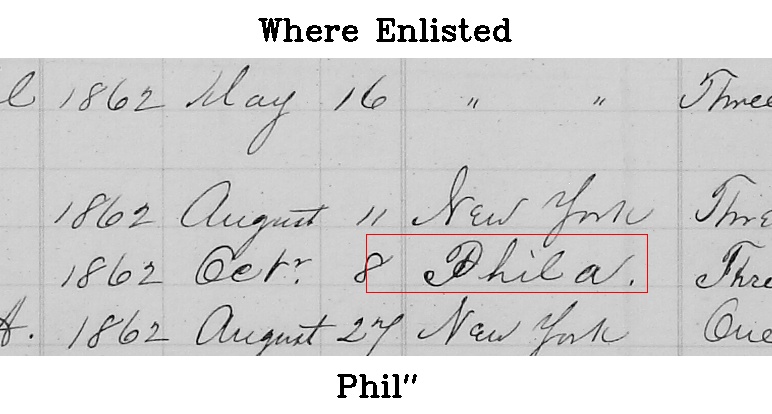
In this “red box misalignment” example it is clear that the computer was attempting to transcribe Phila. from the “Where Enlisted” Field, and not the 8 (from the adjacent “Date of Enlistment” Field). For this example you answer “No” to the question “Does the the target handwritten entry indicated by the red box match the printed text below it?” and then move to the next step, correcting the transcription from Phil” to Phila.
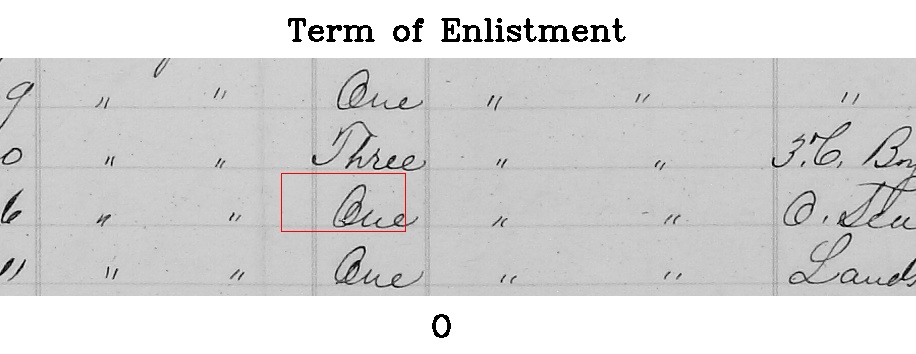
In this “red box misalignment” example, from the “Term of Enlistment” Field, the box is only slightly misaligned. It is apparent the transcription was targeting One. Here you would answer “No” to the question “Does the the target handwritten entry indicated by the red box match the printed text below it?” and then move to correct the transcription from O to One.
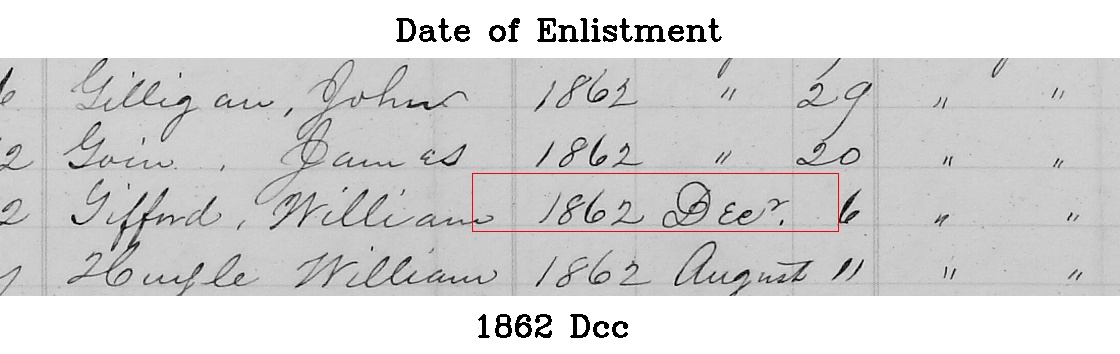
This “red box misalignment” from the “Date of Enlistment” Field is a bit trickier, as the red box has missed a bit of the “Date of Enlistment” Field information to the right. The “Date of Enlistment” Field should always include the year, month and day. It is clear that the computer was attempting to transcribe 1862 Decr. 6 For this example, you would answer “No” for “Does the handwritten text in the red box match the printed text below it?” and then transcribe the handwritten text as best you can.
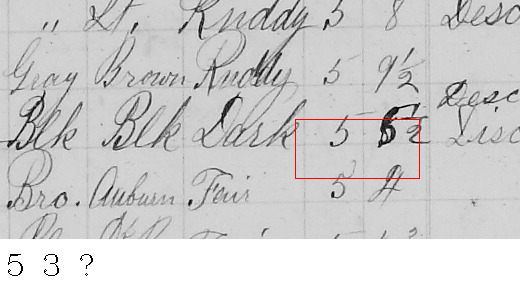
In this “red box misalignment” example, the computer transcribed 5 3 ? for “Height.” It is impossible to determine which of the Height Fields the computer was attempting to transcribe. For this example, select the “Cannot Determine Target Field” button and move to a new image.
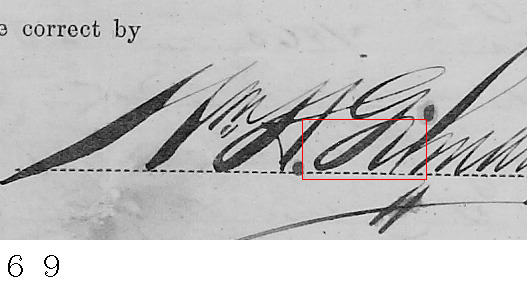
In this “red box misalignment” example, the computer attempted to transcribe a part of the Muster Sheet (a signature) that does not relate to a sailor’s details. For this example, click the “Cannot Determine Target Field” button and move to a new image.







 The Civil War Bluejackets Project